If you’ve worked with container orchestration or edge infrastructure for more than a few months, you’ve likely heard of Knot Pusher. It’s the lightweight, scalable tool our team builds for consistent edge workload deployment, and its manifests are the backbone of every successful deployment. But here’s the hard truth—even a single typo in a Knot Pusher manifest can trigger downtime, broken workloads, or security gaps that take hours to untangle. As a supplier that’s supported 200+ edge deployments across retail, manufacturing, and logistics, we’ve learned that validating these manifests isn’t just a pre-flight step—it’s the difference between a smooth launch and a 3 a.m. outage. Knot Pusher

Today, I’m pulling back the curtain on the validation process our engineering team has refined over the years. This isn’t just a list of generic checks; it’s the framework we use when we work directly with our customers—whether they’re a grocery chain rolling out in-store checkout terminals or a industrial firm deploying sensor workloads across 50 factory floors. Let’s break this down into actionable, real-world steps you can apply today.
The first, and most foundational, step is always structural validation. Manifests for Knot Pusher are written in YAML, which is notoriously finicky about indentation, missing keys, and invalid schema. But don’t just lean on basic YAML linters—we’ve seen linters flag indentation errors that, while technically valid YAML, completely break Knot Pusher’s schema. Our go-to tool here is the official Knot Pusher schema validator, but we pair it with custom checks that catch the kind of schema misconfigurations that slip through official tools. For example: every Knot Pusher workload manifest needs a spec.workloadType field—whether it’s stateless, stateful, or daemonSet—and we’ve lost count of how many first-time customers forget this. A basic linter won’t flag that, but the Knot Pusher schema will, as long as you point it to the correct API version. We also always run a dry run with knotpusherctl apply --dry-run=client before any deployment. This command simulates the full manifest processing pipeline without pushing changes to your cluster, and it will flag things like invalid resource limits, duplicate manifest entries, or misnamed namespaces that would otherwise throw silent failures. Last quarter, a logistics customer came to us with a manifest that worked in testing but failed on their 120-site edge network; the dry run caught that they’d set maxReplicas to 0, which Knot Pusher interpreted as a disabled workload instead of a scaled-down one. That’s the kind of mistake that only shows up in real-world edge conditions, not local testing.
Next, you need to validate schema and semantic rules that are specific to Knot Pusher, not just general Kubernetes (or whatever orchestration layer Knot Pusher runs on top of). This is where our process differs from generic manifest validation guides. Knot Pusher is purpose-built for edge environments, so it has unique constraints that don’t apply to cloud-native workloads. For example: edge nodes often have limited storage, so every manifest must include a spec.resources.requests.storage value that doesn’t exceed the node’s available local storage. We’ve built a custom checker that pulls node storage metrics from your cluster’s monitoring layer (we work with Prometheus and Grafana, but it works with most monitoring stacks) and compares them to the storage requests in your manifest. Last year, a manufacturing customer tried to deploy a 10GB log processing workload on nodes with only 8GB of local storage; this check caught it before deployment, saving them from a series of “no space left on device” errors that would have shut down their industrial sensors. Another critical semantic check is workload targeting. Knot Pusher lets you target workloads to specific edge zones, node labels, or hardware architectures—but if your manifest has conflicting selectors, it will either deploy to no nodes or deploy to the wrong ones. We use a simple, scripted check that cross-references the selectors in your manifest with the actual node labels in your cluster. For example, if you write nodeSelector: { "environment": "production" } but none of your edge nodes have that label, this check will flag it immediately. We also validate tolerations for edge node taints—many edge nodes are tainted to avoid scheduling non-critical workloads, and forgetting to add the right toleration will leave your workload pending indefinitely.
Once you’ve nailed structural and schema checks, the next layer is functional validation. This is the step where you prove that the manifest will actually run the workload you expect, not just that it fits Knot Pusher’s format. The biggest mistake we see here is skipping end-to-end testing of the manifest in a staging environment that mirrors your actual edge infrastructure. Generic staging clusters that run on dedicated servers won’t replicate the latency, intermittent connectivity, and limited bandwidth that edge nodes face. So our process always includes a staging environment that uses actual edge node hardware or emulates edge network conditions with tools like tc (traffic control) to simulate packet loss or high latency. For example, when a retail customer deployed in-store self-checkout terminals, we tested their manifest in a staging environment with nodes that had the same CPU, memory, and storage as their real in-store devices, and we throttled the network to match the 1Mbps connectivity many of their rural stores have. This revealed that the customer had set a readinessProbe timeout of 1 second, which was too short for a terminal to load payment processing software on a slow network. Fixing that in staging meant their production deployment had zero readiness probe failures. We also test lifecycle operations: can you deploy the manifest, update it, roll it back, and delete it without causing workload disruption? Knot Pusher’s versioned manifests support rollbacks, but we’ve seen manifests that have conflicting image tags that would break a rollback if something goes wrong. A quick test in staging to roll back a 10% of workloads (Knot Pusher’s default safe rollout strategy) will catch this before you put it into production.
Security validation is non-negotiable, especially for edge environments that are often more vulnerable to attack than cloud data centers. Knot Pusher manifests include sensitive data sometimes—API keys for cloud integrations, database credentials, or hardware access tokens—and it’s critical that these don’t accidentally get committed to version control or exposed in plain text. Our team always uses a combination of secret scanning tools and custom checks that flag any manifest field with a name like apiKey, password, or token that isn’t referencing a Kubernetes Secret resource (or Knot Pusher’s native secret management, which is designed for edge use cases with limited secret distribution). Last year, a customer came to us with a manifest that had their database password hardcoded in plain text; our security check caught it before they pushed it to GitHub, which would have exposed the credential to anyone with access to their repository. We also validate that workloads in the manifest are running with the least privilege possible. Edge nodes are often unmanaged or accessible from public networks, so a workload with privileged: true or a root user can be a major security risk. We check that every manifest has a securityContext that runs as a non-root user, disables unnecessary Linux capabilities, and uses a read-only root filesystem wherever possible. For example, a logging workload that only needs to write to a specific log directory should have a read-only root filesystem, which we enforce in all our custom security checks for Knot Pusher manifests.
Finally, you need to integrate manifest validation into your workflow so it’s not a one-off step before every deployment. The biggest reason manifests fail is that the validation step is skipped or done manually, which leads to human error. We’ve built a lightweight GitHub Actions pipeline that runs all the checks we’ve talked about—structural, schema, semantic, functional, and security—every time a developer opens a pull request that modifies a Knot Pusher manifest. The pipeline fails if any check doesn’t pass, so no manifest ever gets merged without being validated. For customers that use GitOps (a common pattern for edge deployments with Knot Pusher), we also integrate the validation checks into their Argo CD or Flux CD pipeline, so every manifest that gets pushed to their Git repository is validated before it’s synced to their edge cluster. This automated approach eliminates the “human factor” that causes most deployment failures. We once had a customer that was doing manual validation, and their team missed a selector error that caused a workload to deploy to only 10% of their nodes; after we integrated the automated pipeline, this type of error went to zero.
At the end of the day, validating Knot Pusher manifests is about meeting your edge infrastructure where it is. Edge deployments aren’t like cloud deployments where you have unlimited resources and stable networks—they’re distributed across hundreds or thousands of locations, with varying hardware, connectivity, and security needs. As a supplier that’s built Knot Pusher for exactly that environment, we know that a well-validated manifest is the foundation of a reliable edge deployment. Our team doesn’t just sell you tools—we work with you to refine these validation steps for your specific use case, because we’ve seen firsthand how a manifest can make or break an edge workload.
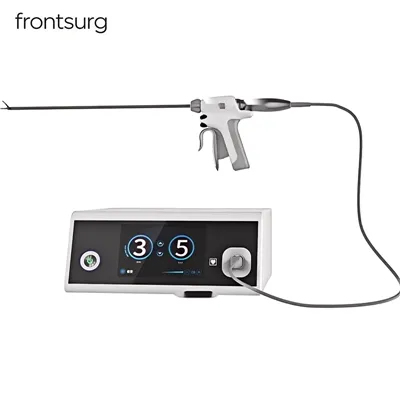
If you’re working with Knot Pusher and ready to streamline your manifest validation process, or if you’re just getting started and want to make sure your deployments are reliable, reach out to our team to discuss your specific needs. We’ve supported organizations across every industry with edge infrastructure, and we can help you build a validation workflow that fits your deployment scale and requirements. Don’t wait until a typo or misconfigured selector causes downtime—start validating your Knot Pusher manifests today.
Skin Stapler References
- Knot Pusher Official Documentation: Manifest Schema and Validation, Knot Pusher Engineering, 2024.
- Kubernetes Dry Run Command Guide, Cloud Native Computing Foundation, 2024.
- Edge Infrastructure Security Best Practices, National Institute of Standards and Technology (NIST), 2023.
- YAML Linting and Schema Validation Tools, Open Source Cloud Native Community, 2024.
- GitOps Workflows for Edge Deployments, CNCF Edge Computing Working Group, 2023.
Frontmed (Hangzhou) Trading Co., Ltd.
Frontmed (Hangzhou) Trading Co., Ltd. is one of the most experienced knot pusher manufacturers and suppliers in China, also supports custom service. Please rest assured to wholesale high quality knot pusher made in China here from our factory. Contact us for more details.
Address: Room 406, Building 6, No.1688 Chunjiang East Rd, Tonglu, 311500, Hangzhou
E-mail: alex@frontsurg.com
WebSite: https://www.frontsurg.com/
