If you work with slitter rewinders, you know how frustrating it is when your machine acts up mid-job. I’ve been selling and supporting these machines for over 10 years now, and let me tell you—most issues aren’t as complicated as they seem. The problem is, a lot of operators jump to calling a tech right away, wasting time and money when a quick troubleshooting check would fix it. Let’s break down the most common problems, what might be causing them, and how to fix ‘em without panicking. Slitter Rewinder
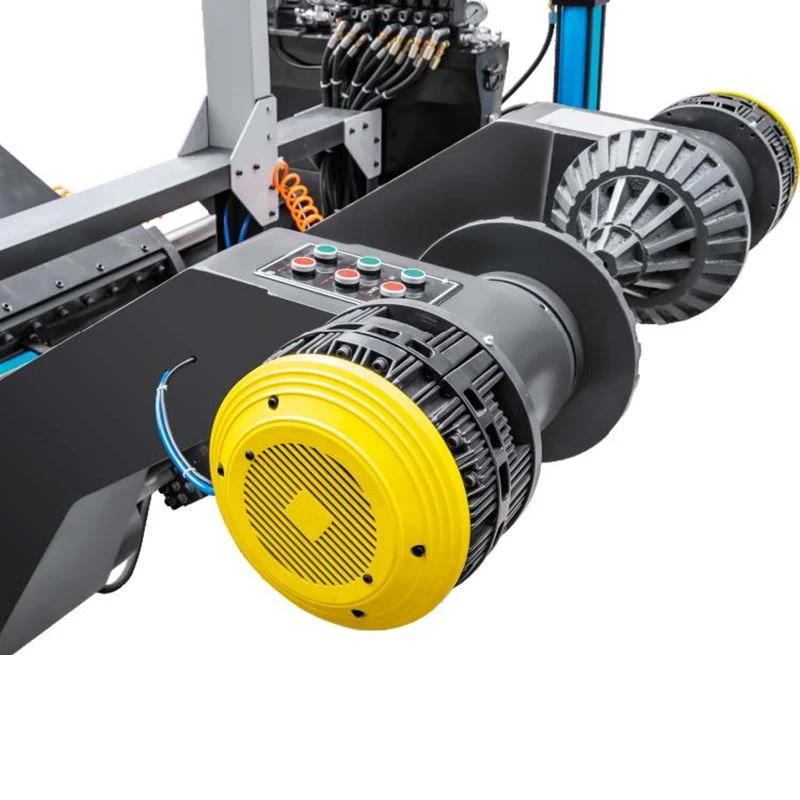
First off, let’s get something straight: slitter rewinders aren’t magic. Every part—from the blades to the tension control—has a job, and if one’s off, the whole process goes sideways. I’ve seen guys pull their hair out because a blade was just a tiny bit dull, or a tension sensor was dirty. Small stuff, but it adds up. Let’s start with the issue that comes up more than any other: uneven web tension. If your material is wrinkling, stretching, or breaking randomly, tension’s almost always the culprit here.
Tension issues usually stem from one of three places. First, check your tension sensors. A lot of times, dust, adhesive residue, or even a piece of leftover material will build up on the sensor’s roller or load cell, throwing off its readings. I tell all my customers—wipe those sensors down with a soft cloth and isopropyl alcohol once a week, not just when something breaks. If that doesn’t work, look at your dancer arm. The dancer arm is the thing that moves up and down to adjust tension automatically. If it’s sticking, that means there’s lint or dried oil on the pivot points. Spray a little light lubricant (like WD-40 Specialist, not the cheap stuff) on the pins, move the arm up and down a few times to work it in, and see if that fixes it. Third, check your tension settings. If you changed material recently—say, going from 1 mil film to 3 mil foil—your old settings won’t work. Most machines have a manual or a chart for recommended tension by material type; don’t just guess. I’ve had a customer who kept breaking poly bags because he left the tension set for paper. Dumb, but it happens.
Next up: poor slitting quality. That’s usually either ragged edges, burrs, or slitting lines that wander. Let’s start with the blades. Dull blades are the number one cause of ragged edges. How do you check if a blade’s dull? Pull it out (make sure the machine is OFF, no exceptions!) and run your finger lightly along the cutting edge. If it feels rough, or if you can see tiny nicks, it’s time to replace or sharpen. But wait—don’t just swap in any blade. There are different types: circular shear blades for thin film, score blades for paper, shear blades for thick material. Using the wrong blade is like using a butter knife to cut metal. I once had a guy use a circular shear blade on 5 mil aluminum foil; it was so bad the foil had big burrs and would tear halfway through the run. Also, check the blade gap. If the gap is too wide, the blades won’t cut clean; too narrow, and they’ll rub together, wearing out fast. Most machines have a blade gap adjustment tool—follow the manufacturer’s specs for your material. For film, the gap is usually like 10% of the material thickness; for thicker stuff, it’s a bit more.
Another slitting issue: slitting lines that wander. That’s when the material isn’t staying straight through the machine, so your slits are off-center on the roll. First, check your guide rollers. If a guide roller is misaligned, dirty, or worn, the web will drift. Wipe the rollers down, make sure they’re all parallel to each other, and that there’s no buildup of material on their surface. If that doesn’t work, check your position control system. Some machines have a photo eye that tracks the edge of the material; if the eye is dirty or misaligned, it can’t tell where the edge is, so the guide doesn’t adjust correctly. Clean the eye’s lens with a microfiber cloth, and make sure it’s aimed right at the material edge, not too high or too low.
Now, let’s talk about roll winding issues. This is when your finished rolls are uneven—like, one side is fatter than the other, or the roll is loose in the middle and tight on the ends. That’s usually a problem with core alignment or winding tension. First, check the core holders. If the core isn’t seated all the way in the holders, or if the holders are worn, the core will wobble, making the roll uneven. Pull the core out, clean the holders, and make sure the core is pushed all the way in. If the holders have rubber grips, check if they’re cracked or worn—replace them if they are, because loose grips let the core slip. Winding tension is another big one. If your tension is too high, the roll will be tight on the ends but the middle will stretch, causing it to buckle. Too low, and the roll will be loose and fall apart when you handle it. Again, match tension to your material—thicker materials need higher tension, thinner ones need lower. I recommend doing a test roll: cut a 100-foot run, check the roll, adjust tension if needed, then do the full job. Way better than wasting 1000 feet of material on a bad setting.
Wait, what about machine vibration? If your machine is shaking so bad it’s hard to work on, that’s a safety hazard and will mess up your cuts. Vibration usually comes from three things: unbalanced slitting shafts, worn bearings, or a loose machine base. First, check the slitting shafts. If the shaft is bent, or if the slitting disks on it are unbalanced, that will cause vibration. To check, take the shaft out, spin it on two supports, and see if it wobbles. If it does, you can either straighten it (minor bends only) or replace it. If the shaft is good, check the bearings. Most slitter rewinders have bearings on the slitting shafts and the rewind shafts. If a bearing is worn, it will make a loud grinding noise and cause vibration. You can check this by gently shaking the shaft—if there’s play, the bearing is bad. Replace the bearing, and make sure to use the right size—don’t just grab a random one from your toolbox. Finally, check the machine base. Make sure all the bolts that hold the machine to the floor are tight. If the machine is on a raised platform, check if the platform is stable. I’ve had a customer who didn’t tighten the base bolts, and his machine vibrated so bad a blade fell off! Don’t let that happen.
Now, let’s talk about preventative maintenance. The best troubleshooting is fixing issues before they start. I tell all my customers to do a 10-minute check every day before running a job: wipe sensors and rollers, check blade condition, make sure tension settings are right, and tighten any loose bolts. Once a month, do a deeper check: lubricate pivot points, check bearing play, clean the machine’s interior (dust and adhesive can build up and cause overheating, which messes with electronics). I know it’s easy to skip maintenance when you’re busy, but a little time now saves hours of downtime later.
Wait, what if none of this works? Sometimes, even after checking all the basics, the machine still acts up. That’s when you call a pro—but not just any tech. Make sure you have your machine’s model number and serial number ready, and tell them exactly what’s wrong (not just “the machine is broken”—say “the web is wrinkling on the rewind side, and the tension sensor readings are fluctuating”). That helps the tech come prepared, so they can fix it faster. I’ve had customers who didn’t tell me the right details, so I showed up with the wrong parts, wasting everyone’s time. Don’t do that.
Let me share a quick story to drive this home. A few months back, a customer called me panicking, saying his slitter rewinder was tearing 5 mil polyester film every 50 feet. He’d tried everything: new blades, adjusting tension, checking guides. I asked him when the last time he cleaned the tension sensor was. He said “I don’t remember, a few months ago.” I told him to go wipe the sensor with isopropyl alcohol, and call me back. Ten minutes later, he texted me saying it was fixed. The sensor had a thin layer of polyester dust on it, so it was reading low, making the machine crank up tension too high, tearing the film. That’s the kind of issue that costs hundreds of dollars in downtime just because of a 30-second wipe.

At the end of the day, slitter rewinder issues are almost always simple, fixable problems. You don’t need a PhD in engineering to figure it out—you just need to check the basics: sensors, blades, tension, alignment, maintenance. I’ve spent years helping customers fix their machines without calling a tech, and I can help you too. If you’re dealing with a slitter rewinder issue, or if you’re looking to upgrade to a more reliable machine, reach out to my team. We can walk you through troubleshooting over the phone, or set up a time to talk about your needs. No fluff, no jargon—just real help from people who know slitter rewinders inside and out.
Duplex Slitter Rewinder References:
- Slitter Rewinder Operation and Maintenance Manual, Industry Machinery Association, 2021
- “Common Troubleshooting Tips for Web Processing Equipment,” Packaging Technology Magazine, Vol. 47, No. 3, 2020
- Lubrication Guidelines for Slitter Rewinder Components, International Lubricants Standards Organization, 2022
Honghui Machinery Equipment Co., Ltd.
As one of the most professional slitter rewinder manufacturers in China, we have world-leading production equipment and strong manufacturing capabilities. Please rest assured to buy advanced slitter rewinder made in China here from our factory. We also accept customized orders.
Address: No.28, Liuheng Road, Changping Town, Dongguan City, Guangdong Province, China
E-mail: info@cnhohui.com
WebSite: https://www.cnhohui.com/
